Building OpenClaw: A Native On-Device AI Agent for Android
How we built OpenClaw: an AI agent that runs on-device on Android — a Termux fork bundling a Linux userland, Node.js, and the gateway in the APK, with bring-your-own-key calls straight to the provider.
Most AI apps on your phone are thin clients. You type a prompt, it goes to someone else's server, the server calls the model, and the answer comes back. Your prompts get logged. Your usage gets metered. If the vendor changes their terms, you find out the hard way.
We wanted the opposite: a real agent that runs on the phone itself, talks straight to the model provider with your API key, and keeps no server in the middle. This is how we built OpenClaw for Android, and the one bug that ate a week.
The problem with thin clients
A hosted AI app has three costs that never show up on the pricing page:
- Your data. Prompts and files pass through a server you don't control. Even with a good privacy policy, the bytes still leave your device.
- The meter. You pay a subscription, and the subscription caps you. Your own model budget — the Azure or Anthropic spend you already have — sits unused.
- Lock-in. The app decides which models you get. Swap providers? Not your call.
None of this is necessary. Phones are fast. Model APIs are just HTTPS. The only reason the agent lives on a server is that nobody put in the work to make it live on the phone. So we did.
The approach: ship a Linux userland inside the APK
OpenClaw's agent runtime is a Node.js program — the "gateway." It handles tool calls, keeps conversation state, and speaks to model providers. To run it on Android, you need a real POSIX environment: a shell, a package manager, Node, the works. Android does not give you that.
Termux does. It's a terminal emulator that ships a Debian-derived Linux userland that runs unrooted, inside a normal app sandbox. We forked it. Our APK bundles the Termux bootstrap — a compressed root filesystem with bash, dpkg, and the base system — for all four Android ABIs (arm64, arm, x86_64, x86).
First launch does the one-time setup:
- Unpack the bootstrap filesystem into the app's private data dir.
- Install Node.js via the on-device package manager.
- Build and start the OpenClaw gateway.
A ten-stage progress UI covers the wait (roughly one to three minutes on a modern phone) so it doesn't look frozen. After that, the gateway is local and the app is a chat client talking to localhost.
The hardest bug: the prefix is baked into every binary
Here's the one that cost us a week.
Android sandboxes each app's data under /data/data/<applicationId>. Stock Termux uses the applicationId com.termux, so every file it installs lives under /data/data/com.termux/files/usr — its $PREFIX.
The catch: that path isn't just a runtime variable. It's compiled into the binaries. Every ELF executable in the bootstrap has the prefix baked into its RUNPATH (where the dynamic linker looks for .so files). Every script has it in the shebang. node, bash, dpkg — they all hard-code /data/data/com.termux/....
Our app can't be com.termux. It's a different app on the Play Store with its own applicationId, cc.agentlabs.openclaw. So its data dir is /data/data/cc.agentlabs.openclaw. The moment we changed the applicationId, bootstrap broke: binaries went looking for their libraries under /data/data/com.termux/..., which no longer existed, and nothing ran.
The first fix looked obvious — split the constant. Termux collapses two different ideas into one applicationId:
- the app identity (package name, plugin names, Android component wiring), and
- the filesystem prefix (where files live on disk).
So we split them in TermuxConstants.java:
// App identity — plugin package names, component state. Stays "com.termux".
public static final String TERMUX_PACKAGE_NAME = "com.termux";

// Real applicationId. Android sandboxes data under /data/data/<applicationId>,
// so $PREFIX MUST derive from THIS, not from TERMUX_PACKAGE_NAME.
public static final String TERMUX_APP_ID = "cc.agentlabs.openclaw";

public static final String TERMUX_PREFIX_DIR_PATH =
    "/data/data/" + TERMUX_APP_ID + "/files/usr";
Now the Java side computes every path from the correct app id. Necessary — but not sufficient. The code knew the right prefix. The binaries still didn't. Their baked-in RUNPATH and shebangs still pointed at com.termux. Changing a Java constant can't rewrite a compiled ELF header.
The only real fix was to rebuild the bootstrap from source for the new prefix. Termux's build system compiles every package with $PREFIX set at build time, so we stood up a fork of termux-packages and ran the whole thing with the prefix pinned to /data/data/cc.agentlabs.openclaw/files/usr. That produced fresh bootstrap zips whose binaries reference the right paths from the first byte. We wired the new archives (and their SHA-256 checksums) into the build so a bad download fails loudly instead of shipping a broken runtime.
The lesson generalizes past Android: when a path is a build-time constant somewhere downstream, fixing it at the call site is necessary but not sufficient. You have to fix it everywhere it was frozen in — including inside artifacts you didn't write.
The gateway as the agent runtime
A detail people miss: the on-device gateway is not an inference proxy. It doesn't run a model. It's the agent runtime — it manages tool use, keeps state, and forwards the actual model call to whatever provider you configured.
Keeping it alive on Android is its own puzzle. Android kills background work aggressively. Our trick is a single long-lived task. One bash script does the install (or detects it's already done), prints a marker line, then execs into Node:
# ...install steps...
echo "OPENCLAW_ALREADY_INSTALLED"
exec node ./gateway.js
exec replaces the shell process with Node instead of spawning a child. The task never exits on success, so the foreground service that owns it never sees an empty task list and never shuts down. The gateway stays up as long as the service does. The app polls localhost for the marker line to know when to switch from "installing" to "ready."
Bring your own key, no middleman
Once the gateway is up, chat is direct: device → provider. You put your key in Settings, and the request goes straight to the provider's API over HTTPS. No OpenClaw account. No OpenClaw server. Nothing to log your prompts, because there's nothing in the path.
The provider picker lists six options — Azure OpenAI, OpenAI, Anthropic, an OpenAI-compatible endpoint (point it at OpenRouter or a self-hosted LiteLLM), OpenRouter, and GitHub Copilot. The direct-to-provider clients for Azure, OpenAI, Anthropic, and OpenAI-compatible endpoints are wired today; Copilot is next. Credentials sit in the app's private storage and never leave it except as an Authorization header to the provider you chose.
If you don't trust us, you don't have to. Watch the network. The only outbound host is the model provider's.
Testing an agent on a phone is hard
You can't unit-test "does the agent actually reply on a real device after a real bootstrap." The interesting failures — a broken prefix, a dead gateway, a wrong key — only show up end to end, on hardware, through the real UI.
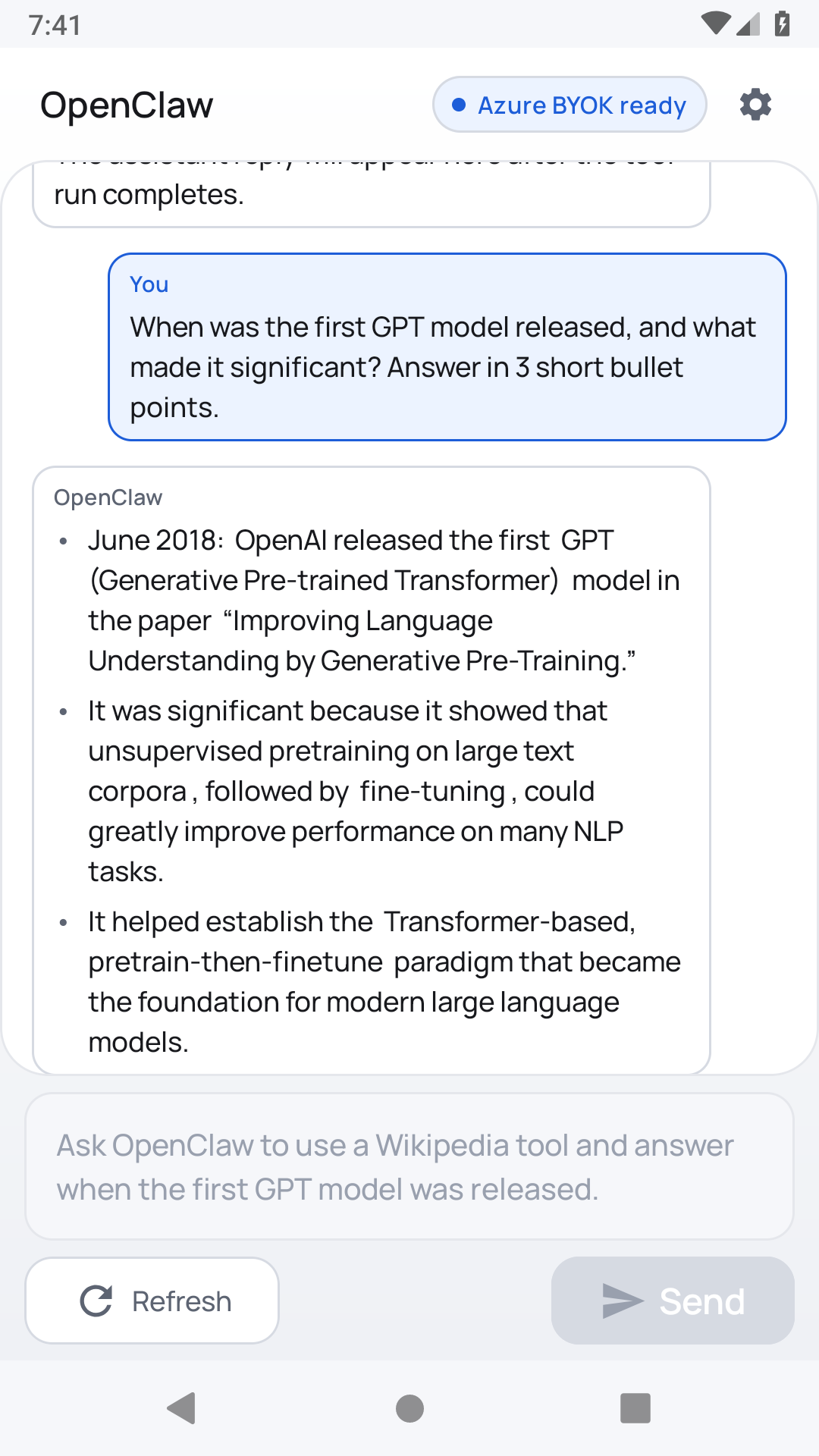
So the release gate is a CUA (computer-use agent) harness that drives an emulator like a person: it installs the APK, waits through bootstrap, enters a key, sends a prompt, and then uses a vision model to confirm a real assistant reply actually rendered on screen. A deterministic path injects the prompt so the run is repeatable in CI. The build does not ship unless a genuine model reply appears in the chat. No reply, no release.
That gate is what caught the prefix bug for what it was. The Java constant was "fixed," the code compiled, and the harness still failed at bootstrap — because the binaries were the real problem. A green compile would have lied. The end-to-end check didn't.
Where it's going
OpenClaw ships through the Google Play Store as a normal Android app. Install it, bootstrap once, bring your key, and you have an AI agent that runs on your phone, keeps your prompts on your phone, and bills to the model budget you already have.
If you want a personal agent that isn't a thin client to someone else's server, try it: agentpod.agentlabs.cc/mobile.